Explore spatial relationships
Examine anatomy and medical imaging from different viewpoints while following a recorded explanation.
RecordXR
Record demonstrations with medical imaging and anatomy models. Edit them into reusable 3D lessons for learners to review and explore independently.
How it works
RecordXR saves your voice, actions, and 3D content in a spatial recording. Learners can replay the session and examine the content from their own viewpoint.
Learning features
Learners can explore recorded content at their own pace. Use spatial recordings to complement guided teaching and practical demonstrations.
Examine anatomy and medical imaging from different viewpoints while following a recorded explanation.
Pause, rewind, or fast-forward to revisit a specific structure or part of a demonstration.
Use Medicalholodeck’s content or import DICOM imaging, OBJ and STL models, and supported 2D files.
Include recorded demonstrations in courses and training programs. Keep them available for later study.
Teaching applications
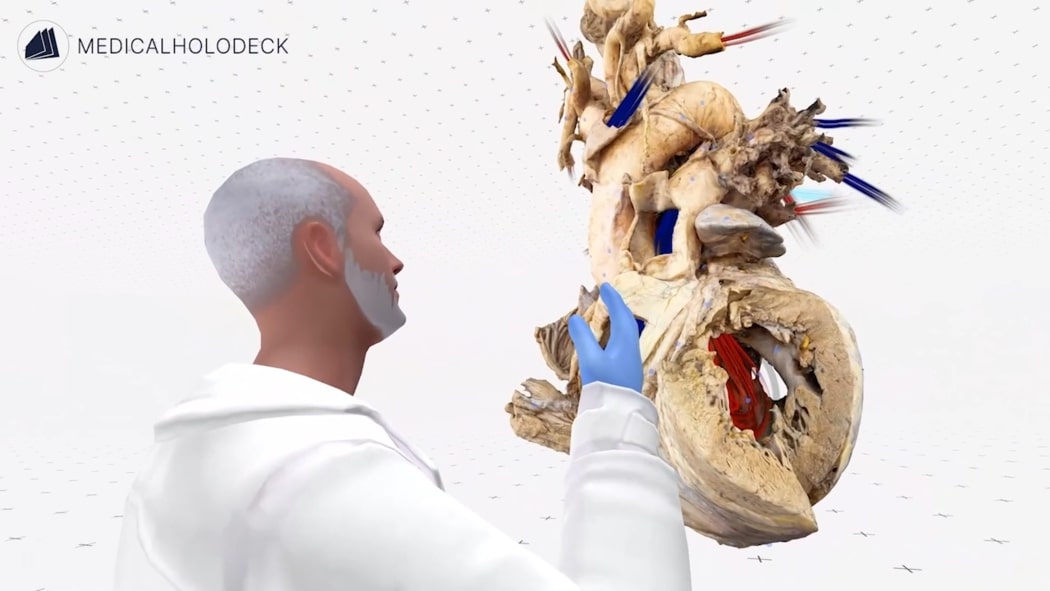
Anatomy education
Record guided lessons with Dissection Master and Anatomy Master. Explain anatomical structures and their relationships using cadaver-based dissections and 3D models.
Explore Dissection Master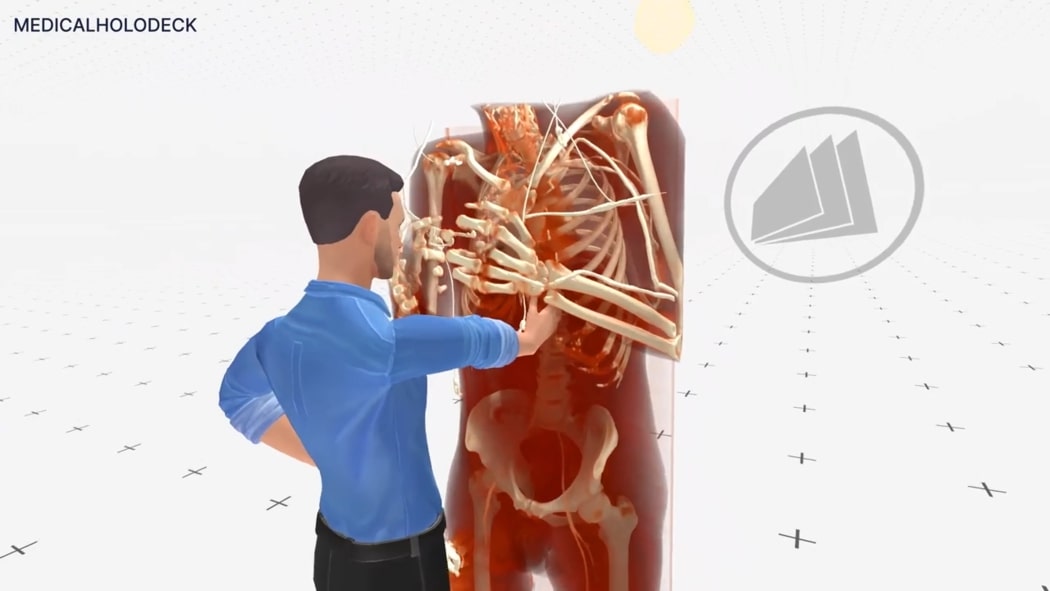
Surgical training
Demonstrate anatomical relationships and explain surgical approaches using medical imaging. Record guided sessions for students and residents to review during training.
Explore Medical Imaging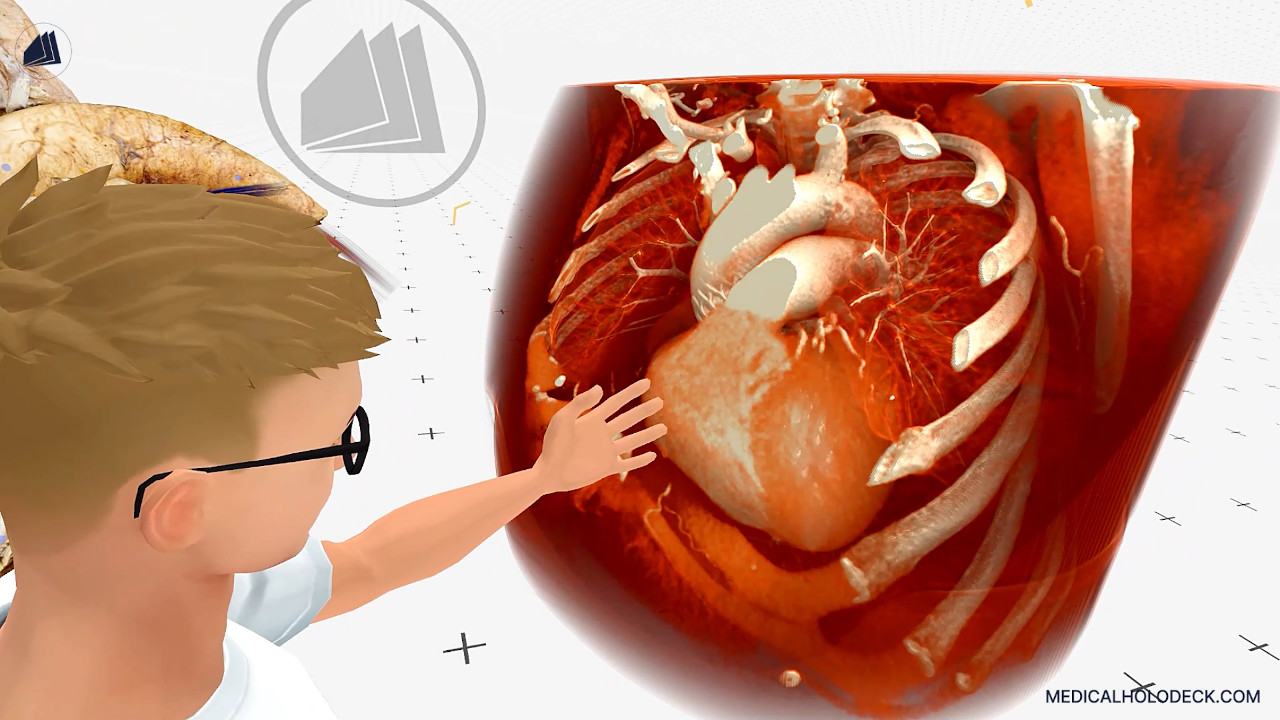
Case-based teaching
Use CT, MRI, or ultrasound data to explain a case and discuss relevant anatomy. Save the session for teaching, specialist training, or later review.
Editing
After recording in Medicalholodeck, use the RecordXR Studio editor to prepare your teaching material. Work with recorded segments and audio, then export the finished lesson.
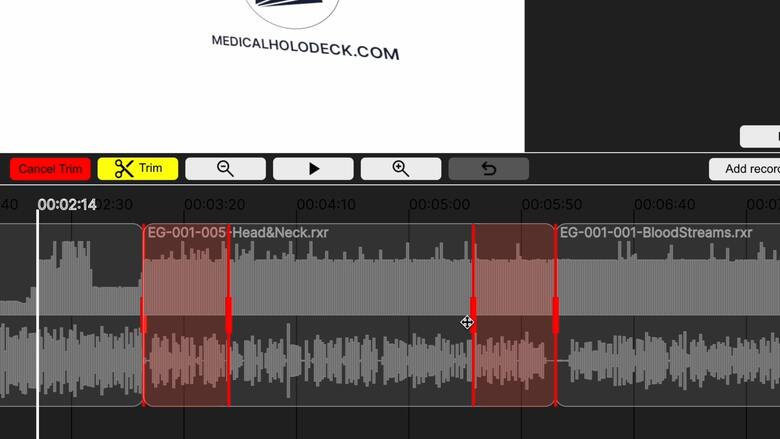
Shorten recordings, remove sections, and join segments into a focused lesson.
Adjust audio tracks and synchronize narration with your demonstration.
Add audio tracks in different languages for your learners.
Export the edited lesson in RXR format for storage and sharing. Recordings can be replayed on supported standalone and PC-connected VR systems.
A recording contains your voice, movements, and interactions with the 3D content. During replay, learners can move through the scene and interact with the datasets and models.
Yes. Import supported medical imaging and models into Medicalholodeck, then record your explanation. You can also use the content included in its imaging and anatomy applications.
RecordXR is integrated into Medicalholodeck. Download a trial to get started, or book a demonstration to discuss your teaching requirements.
Yes. Use the RecordXR Studio editor to trim and combine segments, adjust audio, and prepare language versions. View the editing workflow.
Demo and trial
Book a demonstration to discuss your course content, learners, and setup. Or download a trial to evaluate the recording workflow.